
Download Easy DVD Clone – DVD cloning, backup, copy, clone, DVD, software, utility, tool, preserve, digital copy
Overview
Easily preserve your DVD collection with Easy DVD Clone, a utility software designed to create exact digital duplicates of physical DVDs. The application serves as a reliable tool for users seeking to safeguard their movie libraries from physical degradation, loss, or damage. By producing high-fidelity copies, it ensures that original content—including menus, bonus features, audio tracks, and subtitles—is retained in its entirety. This functionality is particularly valuable for collectors, home media enthusiasts, and individuals who value long-term preservation of their digital assets.
Target users include anyone with a growing DVD library who wants to minimize wear on original discs. Whether the goal is to create a safe backup, reduce playback risks, or streamline access to favorite films, Easy DVD Clone delivers a straightforward solution. The software supports both full and selective cloning, offering flexibility in how content is preserved. Its integration of a built-in burner further enhances usability by eliminating the need for external tools or complex setup processes.
Developed by Easy DVD Clone, the application has been available since 2007, reflecting its long-standing presence in the digital preservation space. Although the developer did not provide additional technical details about the company’s background or future development plans, the software’s enduring functionality suggests a stable, focused design. In the broader context of digital media tools, Easy DVD Clone remains a niche but essential utility for users transitioning from physical to digital media storage.
Key Features & Functionality
- Full DVD Cloning: The software enables users to create complete replicas of DVDs, preserving original menus, trailers, multiple audio tracks, and subtitle options. This ensures that the cloned disc functions identically to the original, offering a seamless viewing experience.
- Selective Cloning Options: Users can choose to back up only the main movie while selecting preferred audio and subtitle tracks. This feature reduces file size and storage demands, ideal for users with limited space or those who prefer streamlined playback.
- Built-in DVD Burner: With no need for third-party burning software, Easy DVD Clone includes a native burner that simplifies the duplication process. This integration reduces setup time and technical barriers, making the tool accessible even to non-technical users.
- Preservation of Originals: By creating a digital copy, users can protect their original DVDs from scratches, wear, and environmental damage. This is especially beneficial for rare or sentimental media collections.
- Flexible Backup Strategy: The ability to back up entire discs or specific content segments allows users to tailor their backup approach based on their storage capacity and viewing preferences.
For example, a user might use the selective cloning feature to create a lightweight version of a movie with only the primary audio and English subtitles, perfect for sharing with family members or storing on a portable drive. Alternatively, a collector may opt for full cloning to maintain every supplemental feature of a special edition release.
Interface, UX & Performance
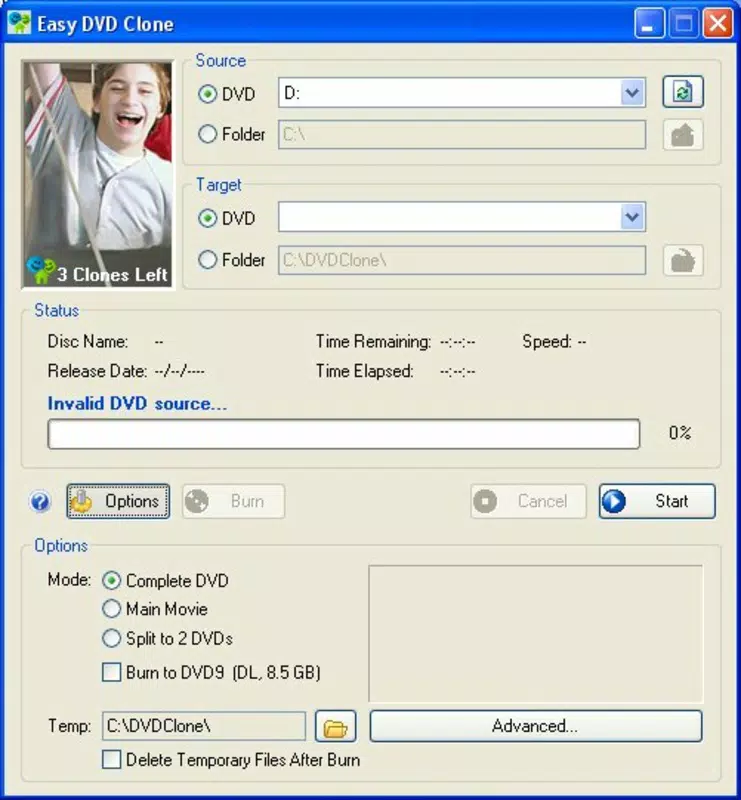
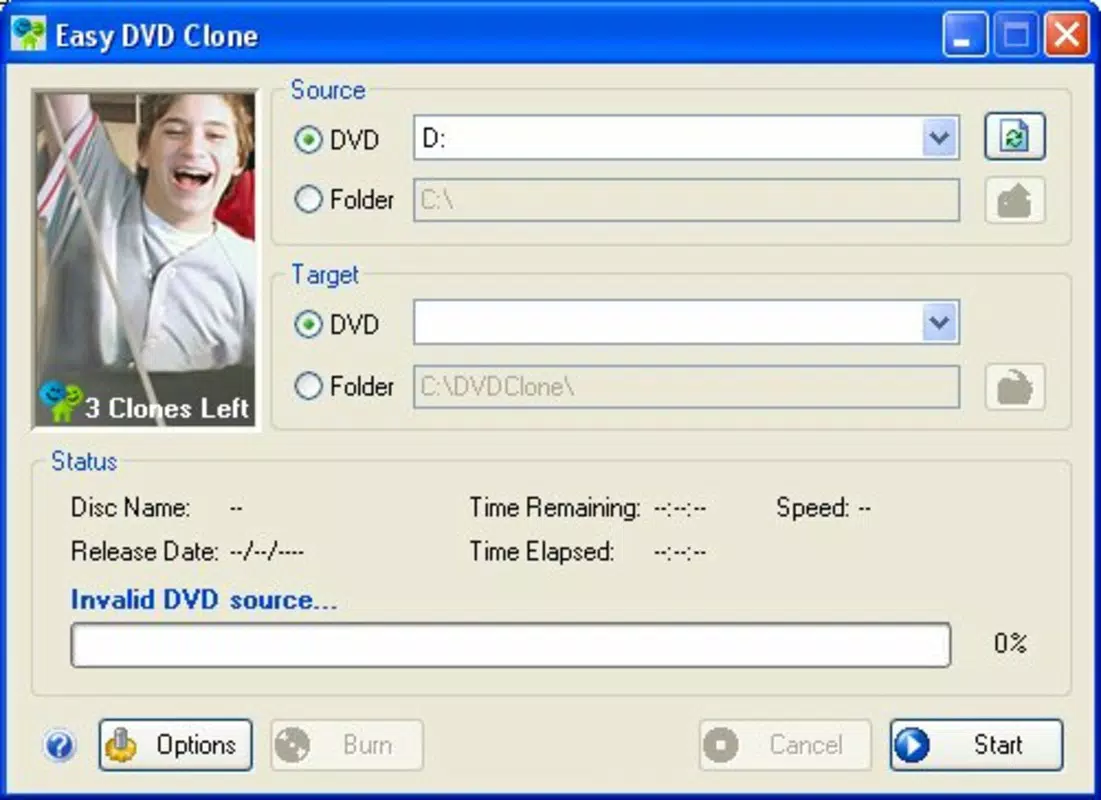
Easy DVD Clone features a clean, straightforward interface designed for ease of use. The layout prioritizes core functions—inserting a disc, selecting cloning mode, and initiating the copy process—without overwhelming users with unnecessary options. Navigation is linear and intuitive, guiding users step-by-step through the cloning workflow.
Visual design is minimalistic, focusing on functionality rather than decorative elements. The interface remains responsive across different screen resolutions, though specific performance metrics were not provided. Although the developer did not list formal performance metrics, the software’s lightweight nature—only 2.5 MB in size—suggests efficient resource usage, making it suitable for older or low-spec Windows systems.
Stability appears to be a key strength, given the software’s long availability since 2007. Users can expect consistent operation during the cloning and burning process, with minimal risk of crashes or data corruption. However, compatibility with modern Windows versions may require verification, as no specific OS requirements were disclosed.
Platform Compatibility & Technical Requirements
Easy DVD Clone is available exclusively for the Windows platform. The software requires a compatible DVD drive for both reading source discs and writing cloned copies. The application’s file size is 2.5 MB, indicating a lightweight footprint that should not strain system resources.
The software version is listed as 1.0, suggesting it may be a stable release with minimal updates. While the developer did not specify minimum OS requirements, the long-standing presence of the application implies it likely supports older Windows versions such as Windows XP, Vista, and 7. However, users on newer systems like Windows 10 or 11 should verify compatibility before installation.
Specific hardware requirements were not listed. The developer did not provide additional technical details about RAM, processor speed, or disk space needs. Users are advised to ensure their system has a working DVD drive and sufficient free space for both the source and target discs.
Pros and Cons
Pros
- Simple, user-friendly interface suitable for non-technical users.
- Supports both full and selective DVD cloning with retention of original features.
- Built-in DVD burner eliminates the need for external software.
- Small file size (2.5 MB) ensures minimal system impact.
- Effective tool for preserving original DVDs from wear and damage.
Cons
- Platform limited to Windows; no support for macOS or Linux.
- Version 1.0 suggests limited updates or modern feature enhancements.
- Developer did not provide compatibility details for newer Windows versions.
- No information on support for encrypted or copy-protected DVDs.
- Price of $19.95 may be considered high for a tool with limited recent updates.
FAQ
Is Easy DVD Clone safe to download and install?
The software is distributed by its developer, Easy DVD Clone. As with any third-party utility, users should ensure they download from the official source to avoid potential risks.
Can I use Easy DVD Clone to copy protected DVDs?
The developer did not specify whether the software supports encrypted or copy-protected DVDs. Users should test the software with their specific disc types to determine compatibility.
Does Easy DVD Clone work on Windows 10 or Windows 11?
Compatibility with modern Windows versions was not confirmed. While the software has been available since 2007, users should verify functionality on their system before installation.
Is the software free to use?
No, Easy DVD Clone is a paid utility priced at $19.95. It is not available as a free download or trial version.
How do I update Easy DVD Clone?
As of the latest information, no update mechanism or release history was provided. Users should contact the developer directly for potential updates or version upgrades.
Final Thoughts
Easy DVD Clone remains a dedicated utility for users committed to preserving their DVD collections in a digital format. Its core strengths—full and selective cloning, built-in burning, and preservation of original content—make it a reliable choice for those who value authenticity and longevity in media storage. While its age and lack of recent updates may raise concerns about modern compatibility, its lightweight design and focused functionality continue to serve a niche but valid purpose.
For collectors, archivists, or anyone with a physical DVD library, this tool offers a straightforward, no-frills solution to digital backup. Though it lacks modern features or cross-platform support, its simplicity and proven track record provide tangible value. If you're looking to safeguard your favorite films and keep your originals safe, Easy DVD Clone delivers on its promise.
Download Easy DVD Clone now


